


Numerous touchpoints arise particularly after a purchase: customers require spare parts, technical documentation, warranty data, support, or offers for additional services. Internally, sales, service, commerce, and ERP must work together seamlessly. Otherwise, digital convenience quickly reverts to manual work: searching for emails, checking orders, assigning devices, asking follow-up questions.
A Dynamics 365 customer portal connects all these processes on a single platform. It centrally consolidates customer interactions, connects them within Microsoft Dynamics 365, and transforms individual inquiries into manageable end-to-end processes. AI-powered functionality can further enhance customer interaction – for example, through context-based recommendations, identified cross-selling and upselling potential, or concrete suggestions for internal teams.
At Arineo, we call this approach a Customer Interaction Portal: a portal that not only accepts orders but also recognizes customer concerns, brings together data from various Dynamics 365 applications, and automatically starts appropriate follow-up processes. The webshop remains an important entry point – but is expanded into a platform that intelligently connects service, sales, and automation.
Why the classic B2B webshop reaches its limits
Webshops are typically built solely for purchasing. They provide product data, map categories, enable shopping carts and checkout, and pass orders to the ERP system. This is often insufficient in a B2B context because client companies want to do more than just buy. They want to know which devices are already in use, which spare parts exactly fit them, whether a warranty is still valid, which service cases are open, or whether there’s a current offer for further equipment. This information is often spread across different systems. An integrated customer portal brings it together and creates a common customer context for commerce, service, sales, and ERP.
Who does a customer portal based on Dynamics 365 benefit?
Such a portal is particularly interesting for companies with products that require explanation, spare parts businesses, service processes, or equipment and plant procurement. That’s where further interactions arise after purchase, such as maintenance, spare parts, warranty, documentation, service cases, offers, or inquiries about existing orders. Because, regardless of context, nobody wants to provide the same information multiple times or switch between email, telephone, the webshop, and the service portal.
What an integrated customer portal with Dynamics 365 delivers
A Dynamics 365 customer portal connects commerce, service, sales, and ERP processes within a common digital interface. It doesn’t think in terms of individual functionality but in processes:
- Does the customer want to order a spare part? The portal can restrict the selection to items that match the specific device.
- Is there a technical problem? The request starts directly with device, customer, and warranty information.
- Should a warranty be extended? The portal can trigger a structured inquiry and subsequent offer process.
- Is an offer available? The portal can display, review, and accept it.
The portal thus plays a central role: it is not only a frontend but also a structured access point to processes. What matters isn’t just which functionality the customer uses, but which downstream process it triggers.
Architecture: Dynamics 365 as an integrated platform
The technical strength of this approach lies in the successful interplay of the following Dynamics 365 applications:
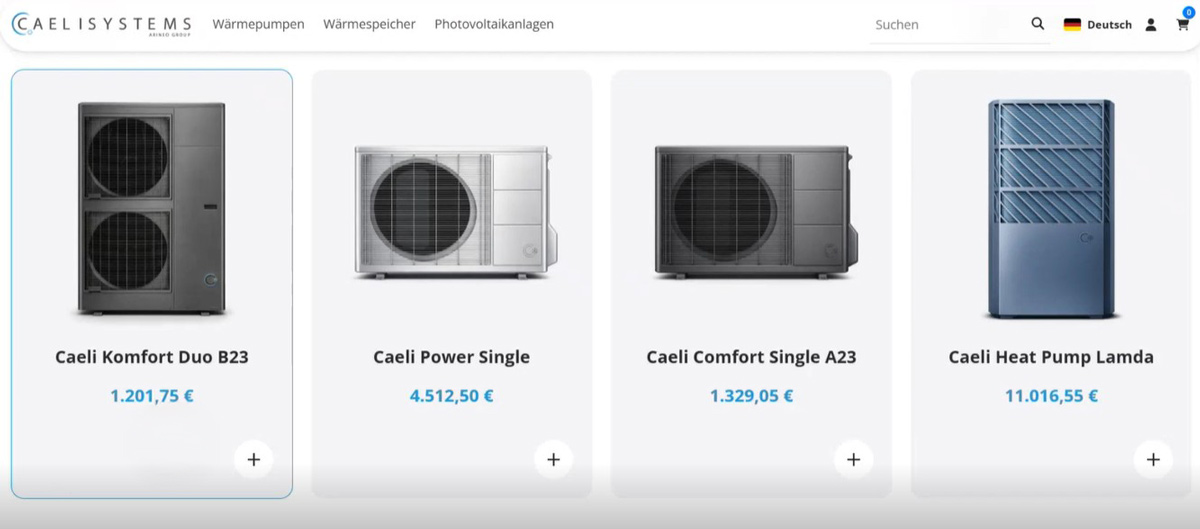
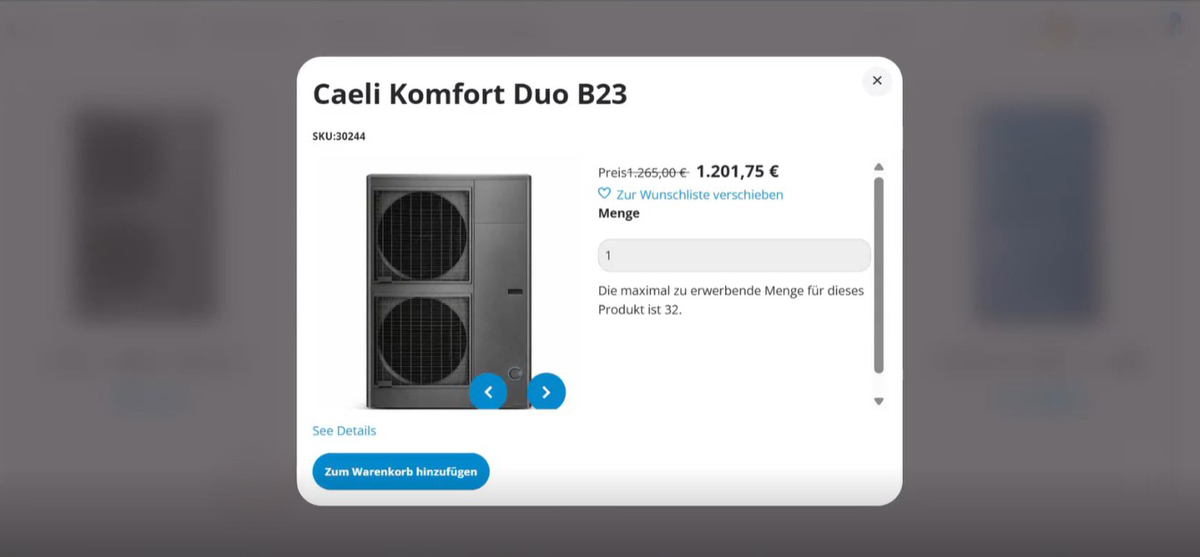
represents the digital shopping experience, including product catalogs, categories, product detail pages, shopping carts, checkout, prices, and availability.
handles ERP-side processes such as order creation, article master data, customer information, pricing logic, availability, and operational follow-up.
serves as a central platform for inquiries, tickets, and service cases. Concerns can be classified, prioritized, processed, or automatically forwarded.
complements the sales processes, for example, when an inquiry becomes an offer or an existing offer is accepted in the portal.
This creates seamless process logic: the portal provides the customer-facing interface, and Dynamics 365 handles the specialist processes in the background.
Authentication creates genuine context from information
A public webshop shows general product information. A customer portal with authentication can do much more: after logging in, users are automatically assigned to a contact, customer account, or role. This context is technically decisive. It controls what data is visible and which actions the portal permits. These include, for example, their own orders, offers, purchased devices, service cases, custom prices, delivery addresses, or order permissions.
“My Devices” for the entire product lifecycle
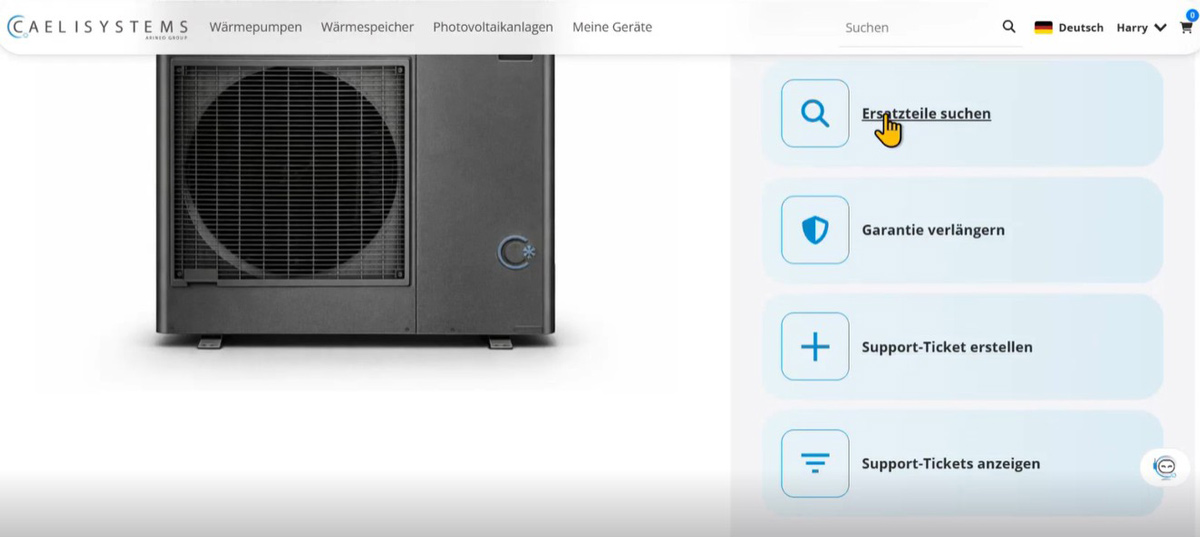
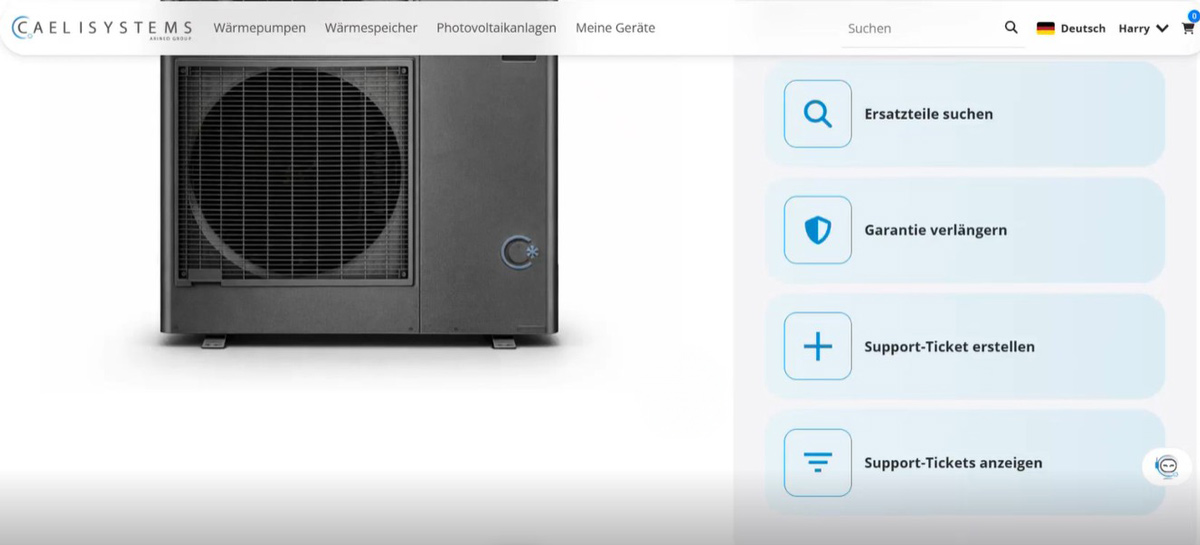
A particularly relevant portal component is the device overview. Logged-in users see products, systems, or devices assigned to their customer account.
Each device can include structured information such as model, location, purchase date, serial number, warranty period, status, and technical documentation. Based on this, the portal can offer device-specific actions. These include suitable spare parts, warranty extensions, support tickets, existing service cases, technical documents, and service or repair requests. This makes the portal a central point of contact throughout the entire product lifecycle – and in the backend, service and sales automatically receive the appropriate information, including the device context.
Dynamics 365 Customer Service as central inquiry logic
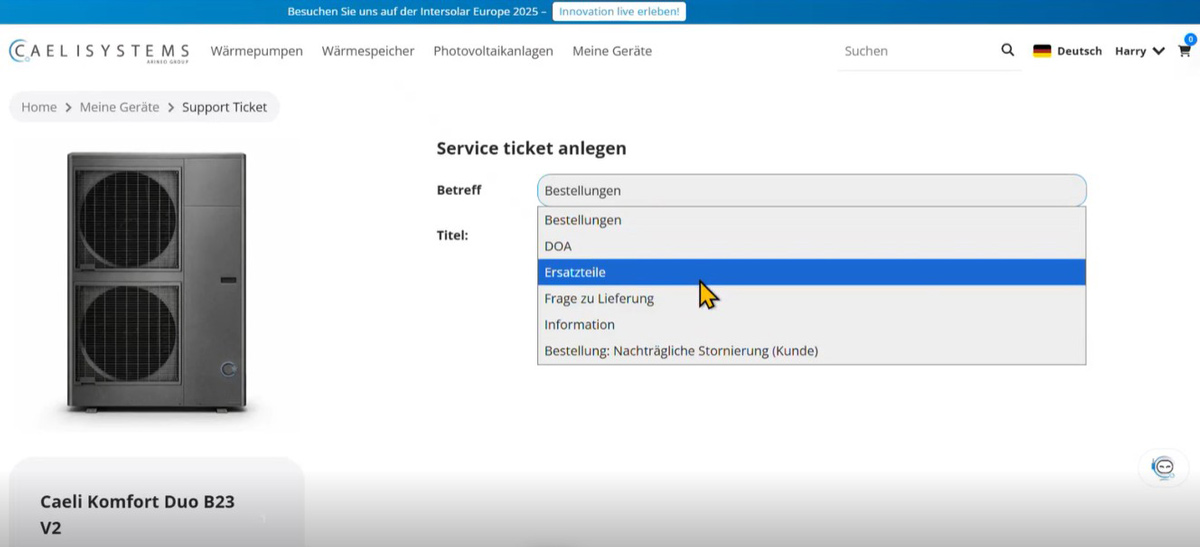
Dynamics 365 Customer Service does more than process classic support cases within an integrated customer portal. The application serves as a central hub for all inquiries: concerns that do not fit a standard purchasing process are initially structured here. These include technical malfunctions, offer requests, service requests, delivery information, or order inquiries. Next, the process logic determines how to handle the request. Some cases are handled manually by the service team. Others are passed to sales. Still others can trigger automated follow-up processes.
The advantage is that all issues start at a central point, remain traceable, and can be linked with customer data, devices, orders, or offers. Service, sales, and ERP work with a common process context. This improves controllability: recurring concerns become visible, service volume can be assessed more accurately, and process automations can be developed more precisely.
Spare parts: from catalog to device-specific selection
In a classic webshop, customers often search via categories, article numbers, or free-form text. Spare parts quickly become more complex. An integrated customer portal can control the spare parts selection much more precisely. If the affected device is known, the portal can display matching spare parts directly from the device or product context. Customers don’t need to know which part is technically compatible because the portal leads them directly to the right selection.
The purchasing process remains simple for users, while the system maps the technical complexity. In the background, it can use product relationships, bill of materials, spare parts structures, documents, or ERP information. This reduces incorrect orders and simultaneously relieves service and sales.
Service processes and self-service help
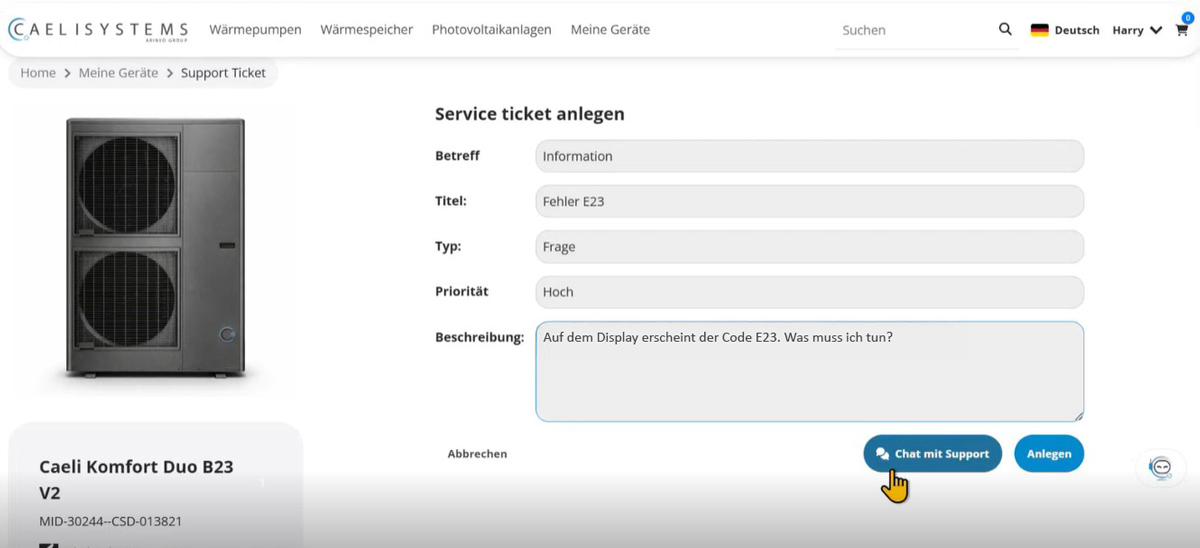
Service processes become more efficient when they are driven by specific customer and device context, not when they arise in isolation. In the portal, users can select a device and directly create an inquiry from it. Inquiry categories may include technical malfunctions, spare parts requirements, delivery requests, order information, or general inquiries. Depending on the category, the system requests different information and starts different follow-up processes.
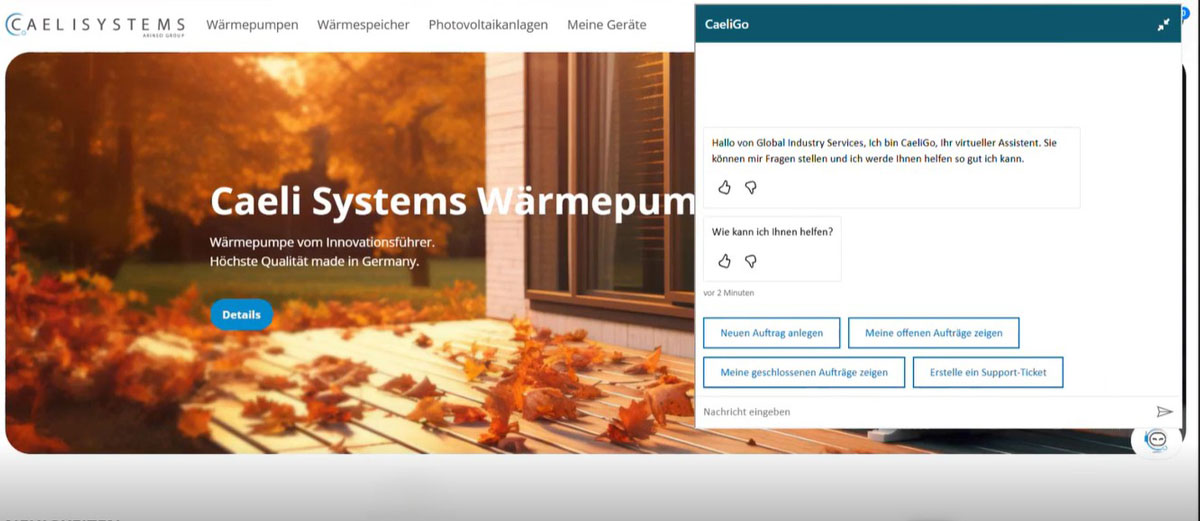
Many concerns can already be resolved through self-service functions, such as appropriate knowledge articles, error code searches, technical documentation, spare parts lists, or guided dialogues with an AI chatbot. For example, if a user enters an error code, the portal can display matching knowledge articles or solution suggestions. A ticket is created only when this information is insufficient, which cleanly structures the case and passes it to service with complete context.
Automated offer processes from the portal
Automated offer processes are also integral to a Dynamics 365 customer portal. A typical scenario is warranty extension. The logged-in user selects a device and requests a warranty extension. The system knows the customer company, the device, the contract logic, and the relevant offer object. Based on this, the system automatically generates an offer in Dynamics 365 Sales, sends it to the contact person, and makes it available in the portal. Here, the contact person can view offer details and documents, compare different versions, and digitally accept the offer. After acceptance, the follow-up process starts in Finance and Operations, such as creating an order.
AI in the customer portal: recommendations with context
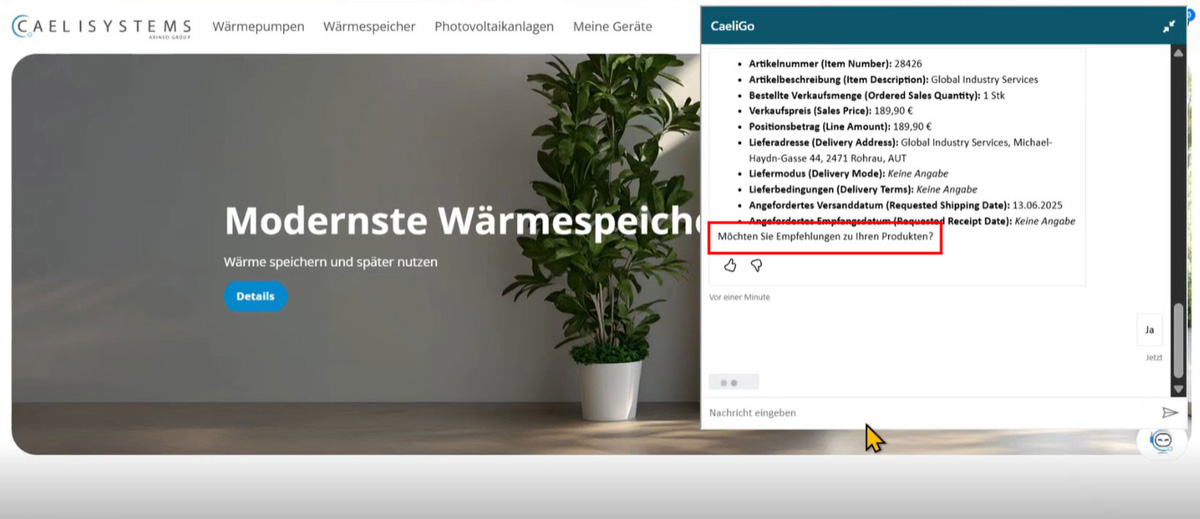
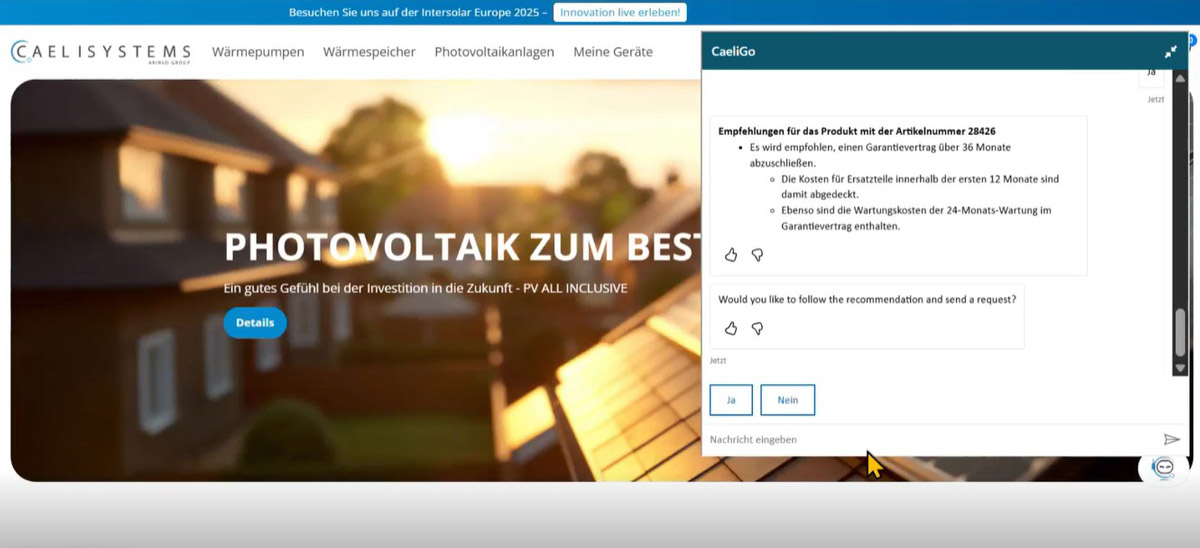
Because commerce, service, sales, and ERP are connected, complete information is available that can be optimally processed by artificial intelligence – for example, for product recommendations, additional services, or warranty extensions.
The crucial difference from classic cross-selling is the context. The recommendation does not appear arbitrarily based on rigidly defined rules, but at the right moment: when looking at a device, during an order query, in the service process, or in the chat. Maintaining a human-in-the-loop approach remains important. AI recognizes potential, prepares information, and suggests next steps for customers and employees. The person always makes the final process decision.

The central question is not: which functions should be visible in the portal? What’s more important is: which customer concerns should be digitally recorded, classified, and automatically transferred to the appropriate follow-up processes?
Harald Nagel, Solution Architect
A Dynamics 365 customer portal is not just a frontend project. It’s an integration and process project. So the design doesn’t start with the homepage; it starts with the process model.
- Which data will be displayed in the portal?
- Which information comes from the ERP system?
- What types of inquiries exist? When is a ticket created?
- When is an offer generated?
- When is manual review required?
- When can a process be automated?
In other words, a good portal project doesn’t begin with designing the homepage, but with the process model. Only when it’s clear which data and processes should be connected does a platform emerge that relieves both customers and internal teams in everyday use.
Conclusion: one portal, many processes, more potential
A Dynamics 365 customer portal expands the classic webshop into an integrated service and process platform. Commerce, customer service, sales, and ERP interact to create a comprehensive view of customers, devices, inquiries, offers, and orders.
Thus, individual interactions become end-to-end processes – from ordering to the service ticket to warranty extension. At the same time, it creates a data foundation to systematically identify and use opportunities, such as matching spare parts, additional services, or AI-powered recommendations. The result is a digital customer interaction that becomes more efficient, resilient, and sales-effective.

Generate new opportunities in your existing customer business!
Discover our Customer Interaction Portal in the 30-minute video and learn how to bring marketing, sales, and service closer together digitally. This way, you offer your customers an experience that matches the quality of your products.
FAQ
A Dynamics 365 customer portal is a digital portal that connects webshop, service, sales, and ERP processes. It enables product search, ordering, device overviews, service requests, offer processes, and self-service functions.
A classic webshop focuses on product selection, shopping cart, and checkout. A Dynamics 365 customer portal expands this approach with customer-specific information, device references, service tickets, offer acceptance, status overviews, and automated follow-up processes.
Typical components include Dynamics 365 Commerce for webshop and portal, Dynamics 365 Customer Service for inquiries and tickets, Dynamics 365 Sales for offers, and Dynamics 365 Finance and Operations for ERP processes such as order creation, prices, and operational processing.
Device reference connects service cases, spare parts, warranties, and documents with a specific product or asset. This reduces follow-up questions, provides more appropriate information, and creates more precise follow-up processes.
A Dynamics 365 customer portal is particularly suitable for companies with products that require explanation, spare parts businesses, service processes, device or plant procurement, and complex B2B customer relationships.
Processes such as webshop orders, spare parts orders, warranty extensions, standardized offer requests, or the structured creation of service tickets are particularly suitable for automation.
AI can evaluate customer, device, order, and service context to derive appropriate recommendations. For example, it can identify cross-selling and upselling opportunities, display service tips, or support internal teams with suggestions for the next step.
Human-in-the-loop means AI prepares suggestions, but people make the final decision. Customers decide whether a recommendation is relevant. Internal employees decide how to process the suggested next step.

