Dynamic CSV-Output with Power Automate

Creating dynamic CSV-Output from Flow. In a project we implemented a technical workaround to get dynamic content from several SharePoint lists and merge that content in a CSV-Output.

Here are the steps implemended in the flow

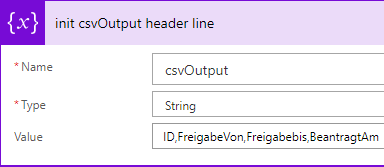
1. Create a string variable that contains the csv output and initialize the header information

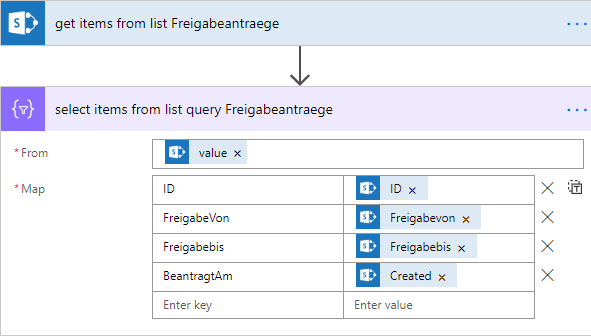
2. Query items from the first data source (in our case a SharePoint list) using the SharePoint Get Items flow action

3. To insert data in the csv string variable in the predefined column order use the Data Operations – Select action

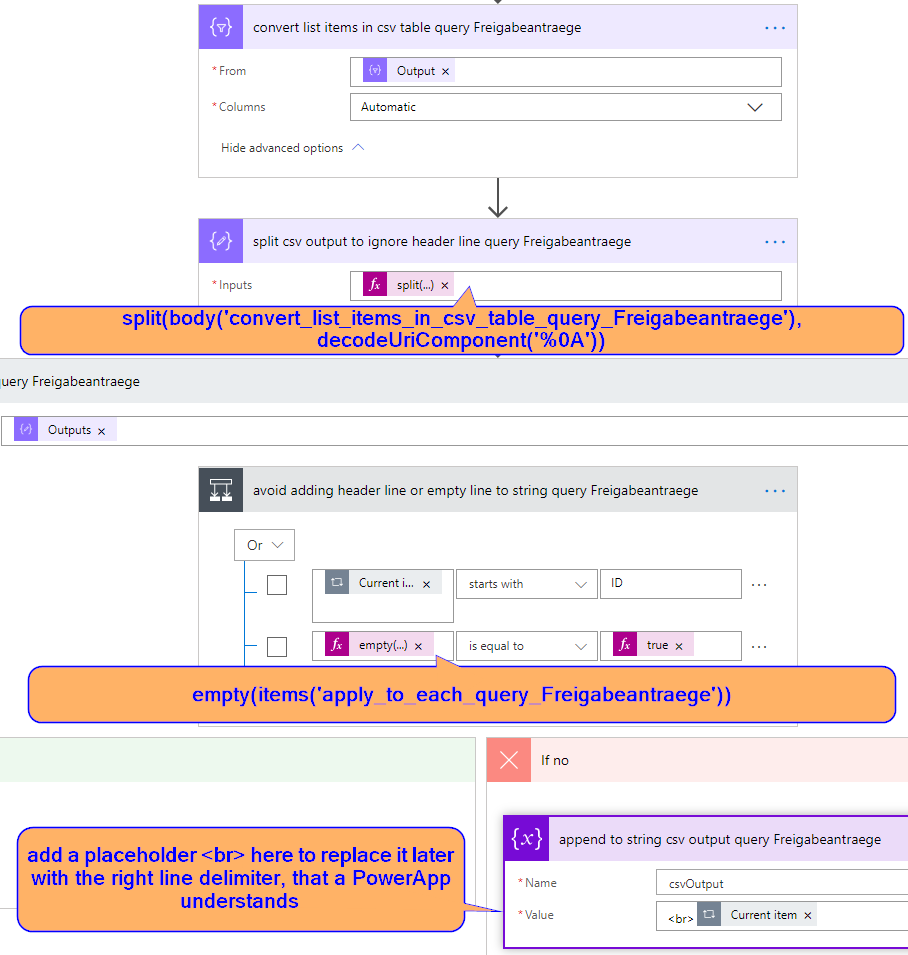
4. Convert the output from the selected action into a csv file. After that extract the lines ignoring the header info and ignoring the empty line at the end of the csv output.

5. repeat steps 2 till 4 to enrich the content of the csv output string variable with content from other data sources

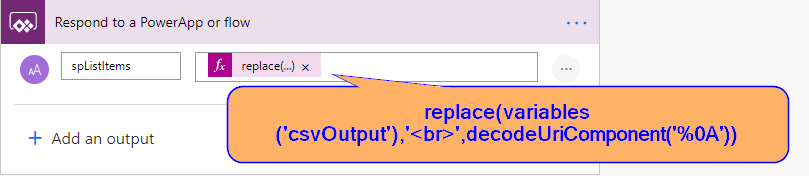
6. replace the placeholders in the csv output string with the right line delimiters used in PowerApps and return the output string

2. August 2022
Update: 9. Juli 2025

Thomas Hardt

Thomas ist ein leidenschaftlicher Tüftler. Er liebt es, sich in immer neue Kundenprozesse hineinzudenken und auf den ersten Blick unmögliche Anforderungen mit Sharepoint Online, M365 oder Lösungen unseres Partners d.velop zu lösen. Seine Freizeit verbringt er am liebsten mit seiner Familie in der bayerischen Natur.

Diesen Artikel teilen

Fragen zum Thema

Sie haben noch Fragen zum Artikel oder finden das Thema interessant. Dann schreiben Sie uns gerne eine Nachricht.